One place for the whole job — start to finish.
From the first phone call to the last draw — and then the thirty years after. Built to be used with wet hands, in a truck, between jobs. If you can use a phone, you can run it.
Sell it
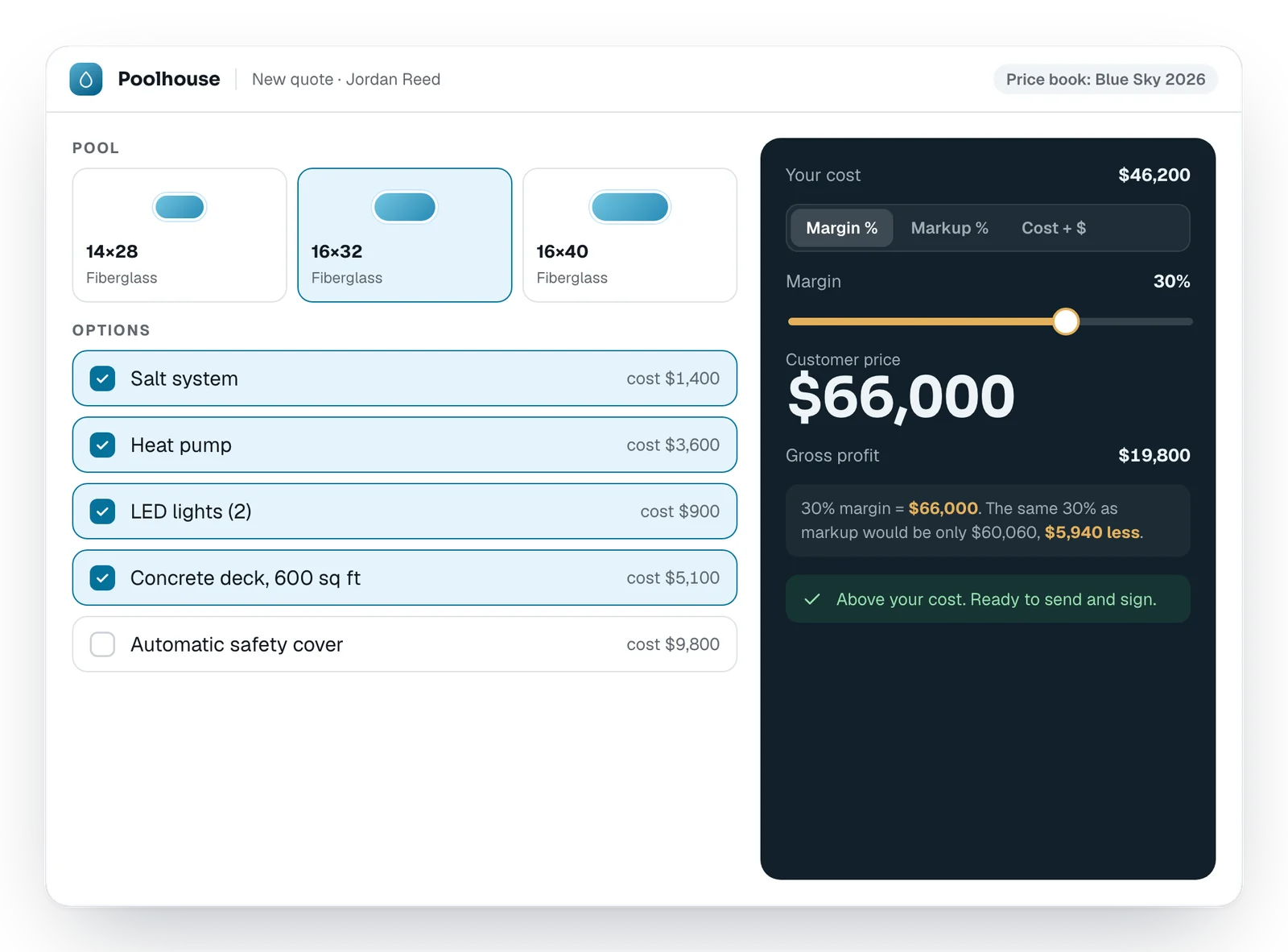
Quotes from your own price book. To the cent.
Pick the pool, pick the options, answer the site questions. The quote is priced from your numbers and ready to send while the family is still at the kitchen table.
- Your shells, liners, covers and options — loaded from your price file before you log in
- Price it your way: margin, markup, cost-plus or a fixed number, with the dollars shown
- It won't send a quote below your cost
It figures the build to the fitting.
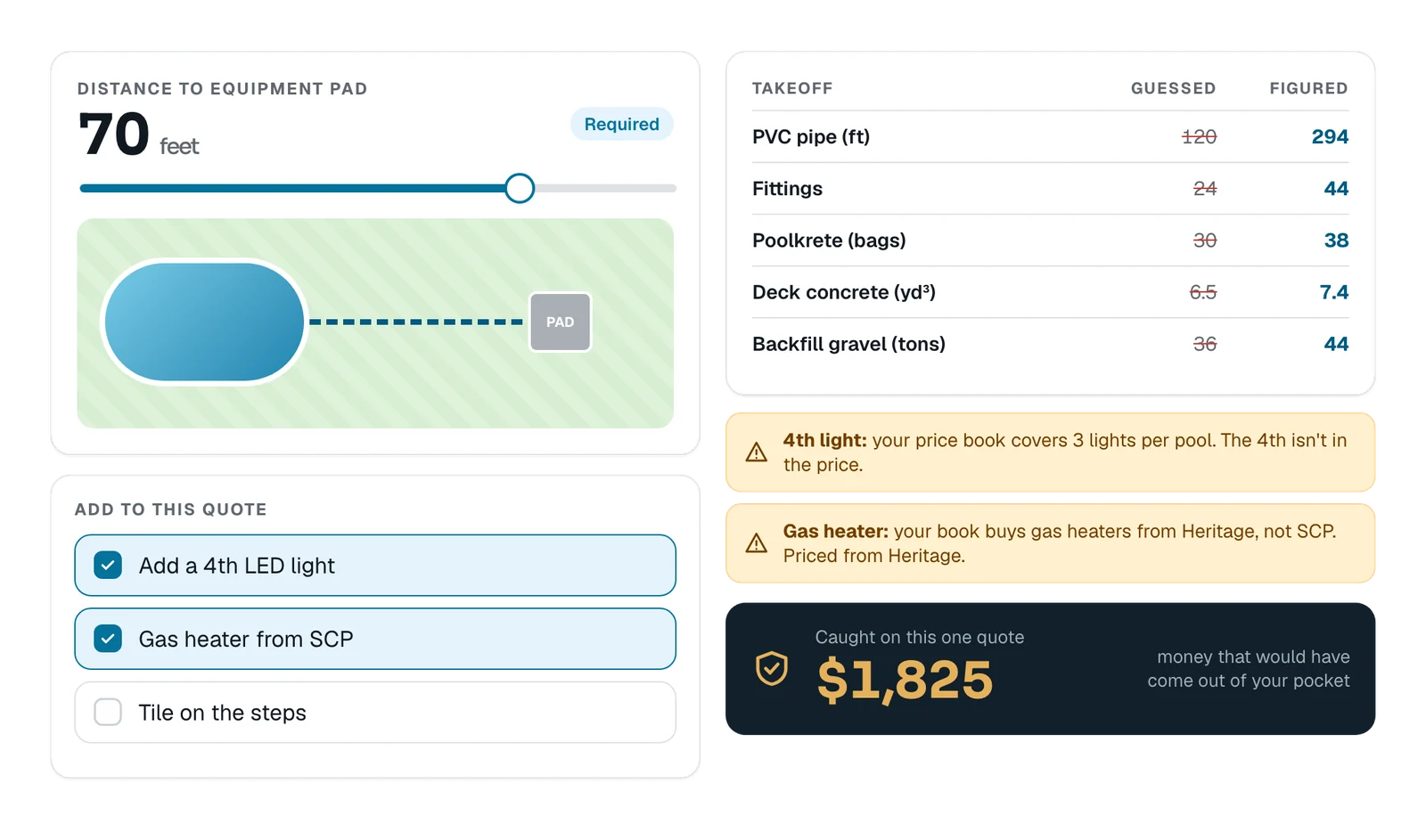
The quotes that go wrong don't go wrong big — they go wrong small and often. Three fittings short, the wrong pump, concrete figured light. Each miss comes out of your margin. Poolhouse catches them before the quote goes out.
- Pipe and fittings worked out from the pool's shape and the pad distance
- Poolkrete, deck concrete and backfill figured, not guessed
- Warnings when something isn't in the price — a 4th light, the wrong supplier
They sign on their phone. You know when they open it.
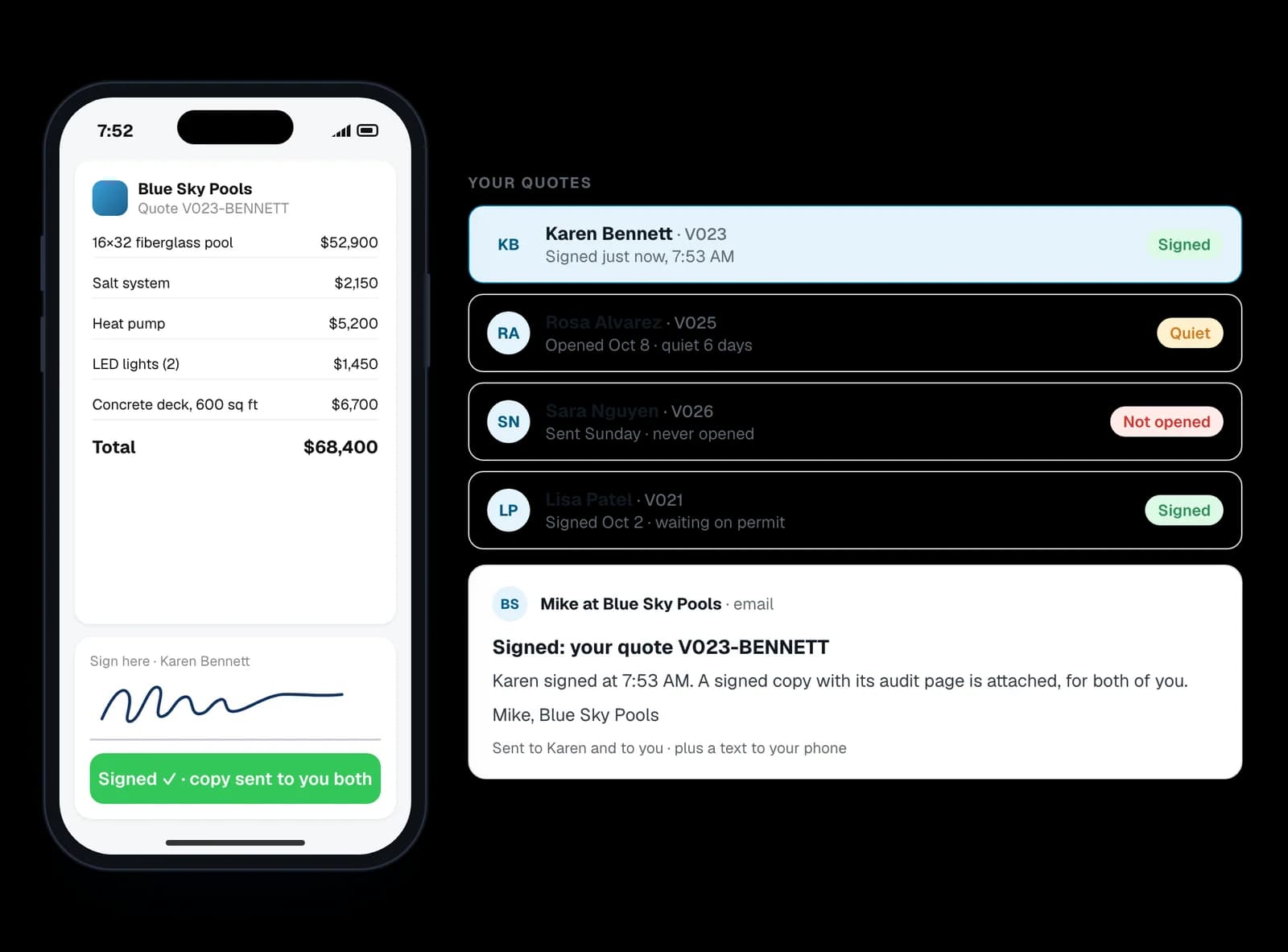
Every quote out in one list: opened or not, quiet for how long, signed.
- They sign the exact PDF you sent, with a signed copy to both of you
- Two polite follow-ups if it goes quiet — no price, no pushing, then silence
- Mark a deal Dead and its follow-ups stop
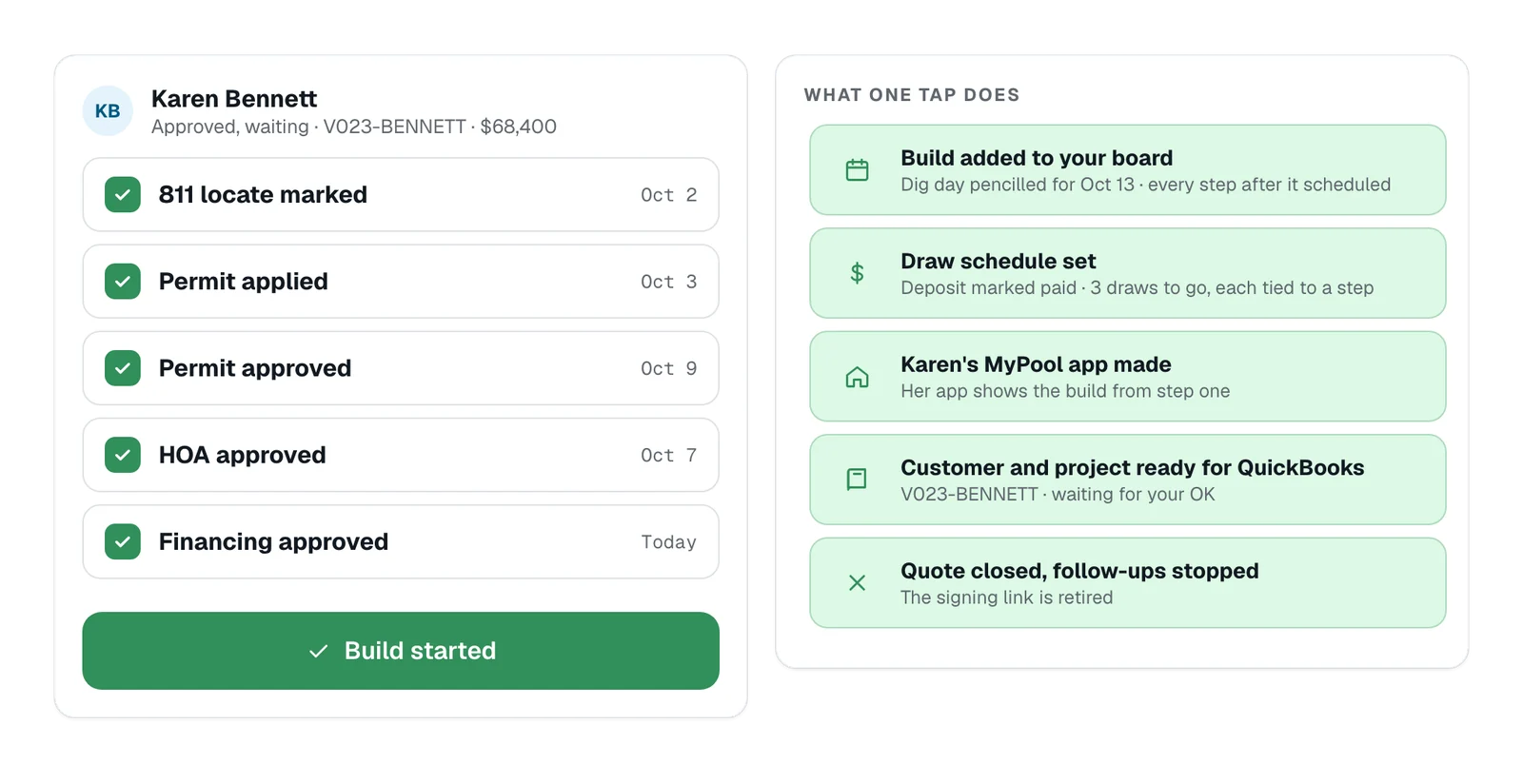
From “yes” to a build on the board, in one tap.
Track the 811 locate, permit, HOA and financing while you wait on the deposit. Then press “Deposit received”: the build goes on your board, the draws are set, the homeowner's MyPool app is made, the customer is ready for QuickBooks, and the quote closes.
Build it
It replaces the whiteboard, the sticky notes and the 10 PM “did anybody call the electrician?” — and the part of your brain that never gets to clock out.
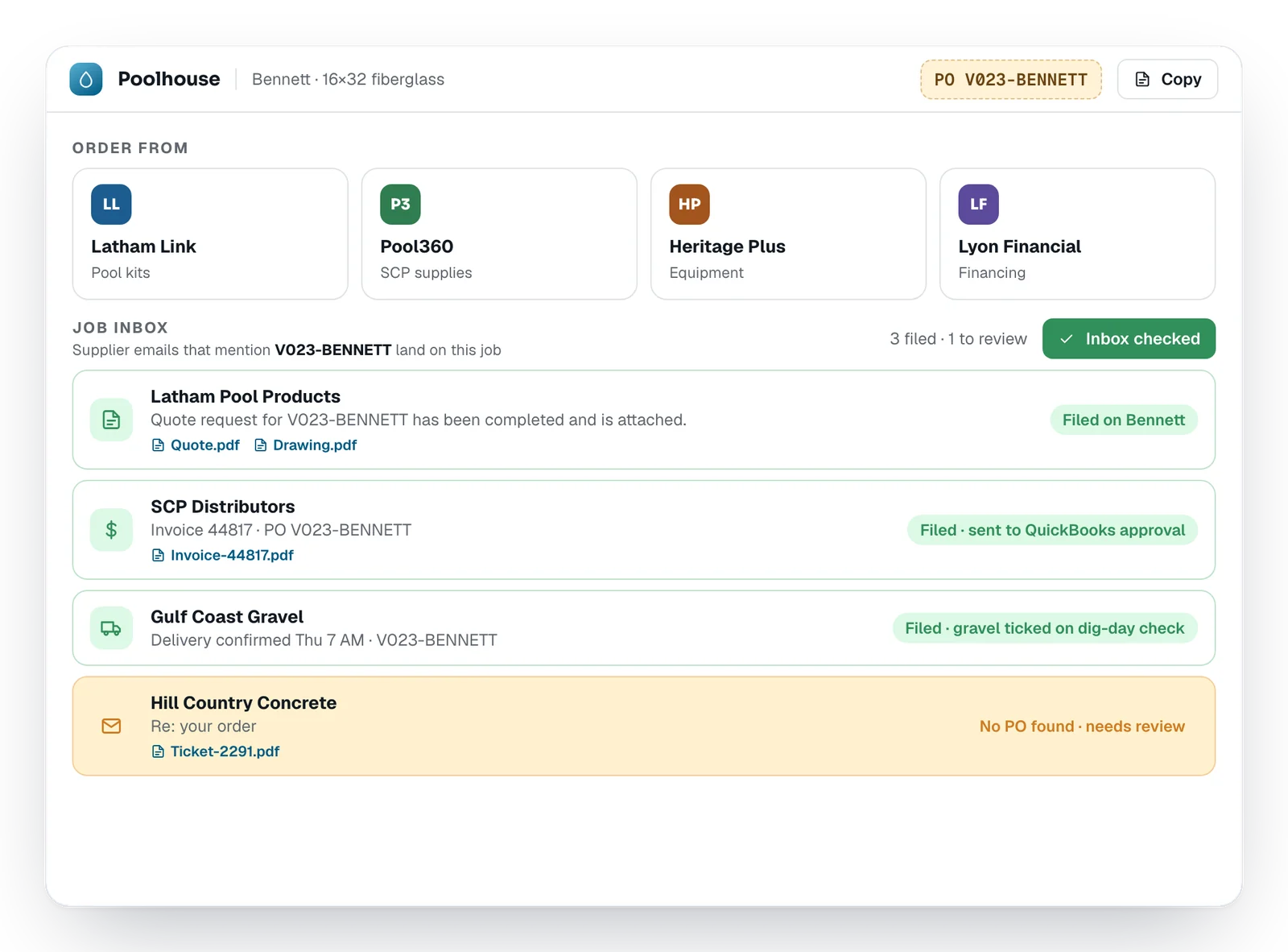
Order with the job's PO. The replies file themselves.
Anything it can't match waits for you to review, instead of getting lost.
- A PO number born with every quote: the quote number plus the last name
- One tap to Latham, Pool360, Heritage and your lender
- Supplier quotes, invoices and delivery emails land on the right job
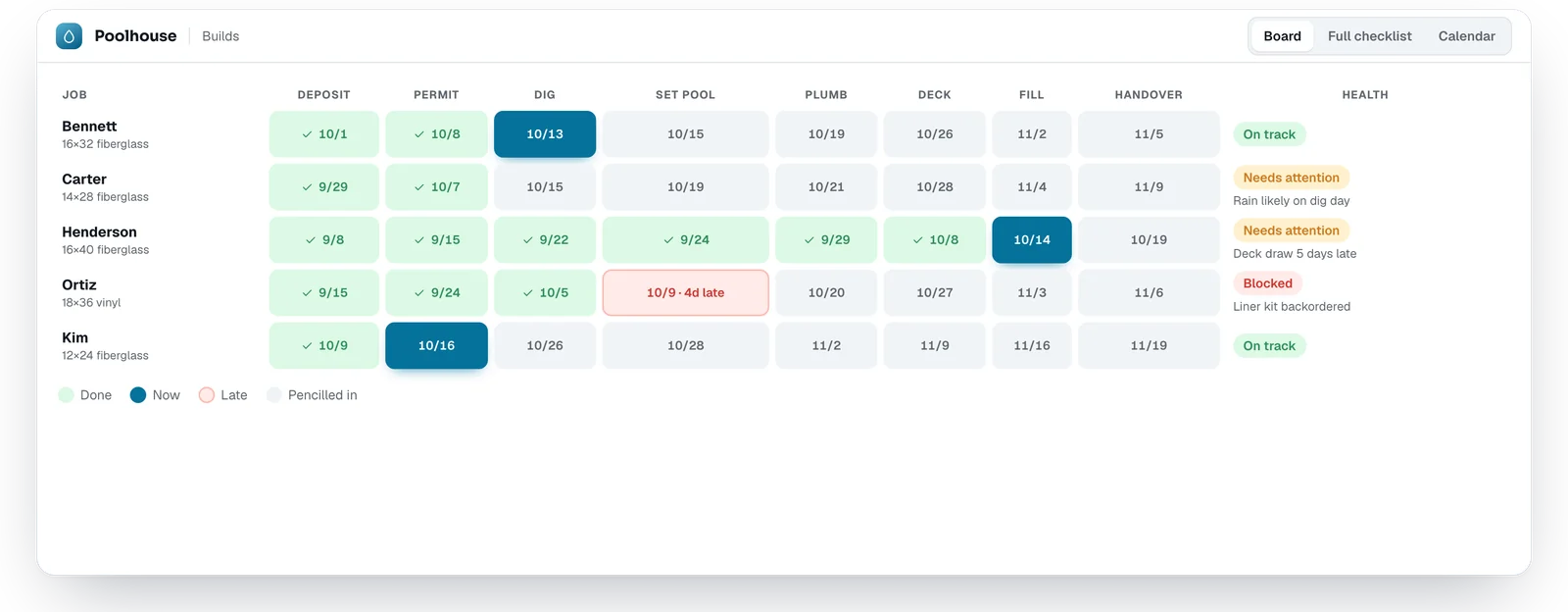
Every build on one board, on your own steps.
Not somebody else's idea of how a pool gets built — your steps, in your words. Switch to the full checklist or a month calendar in one tap, and put the calendar on your phone. A sub can get a feed with only his own work. Set dig day and every step after it pencils itself in; after three of your own jobs, it uses your real times.
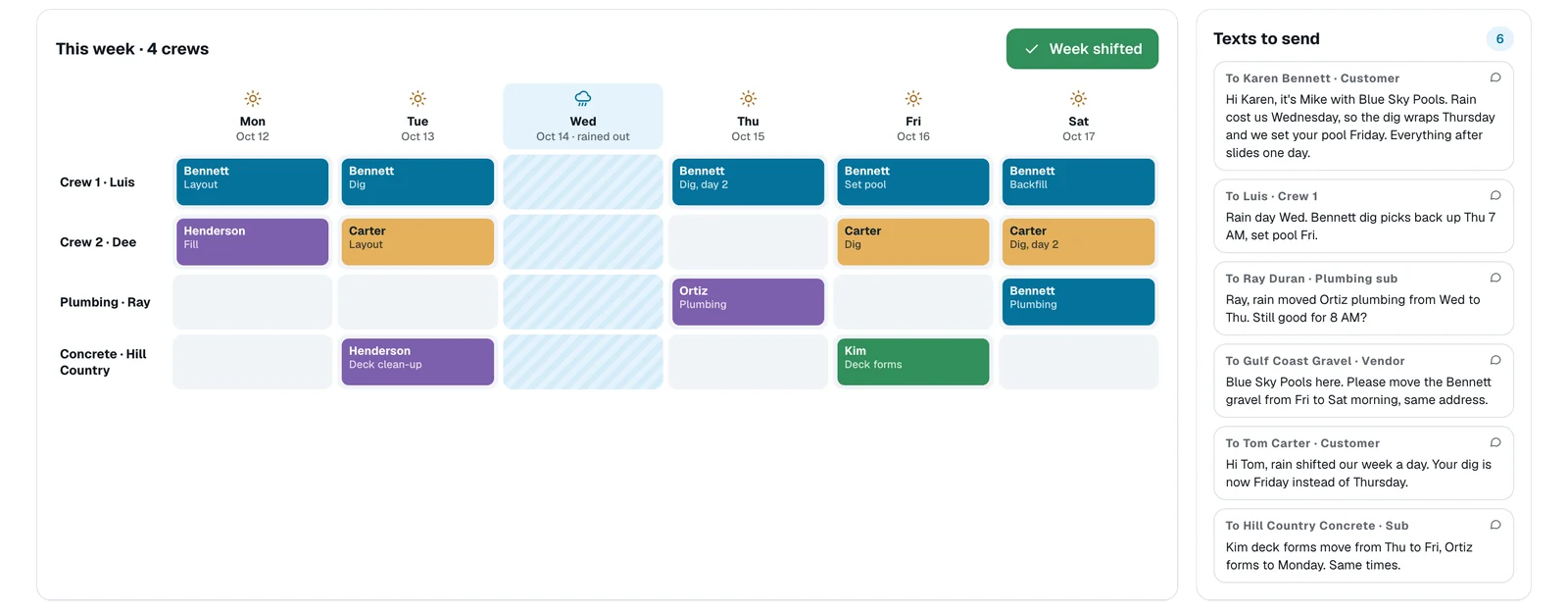
It rained. Fix the whole week in one tap.
Pick the day you lost. Every job shifts, the spacing between steps stays the same, and the texts to every customer, sub and vendor are already written.
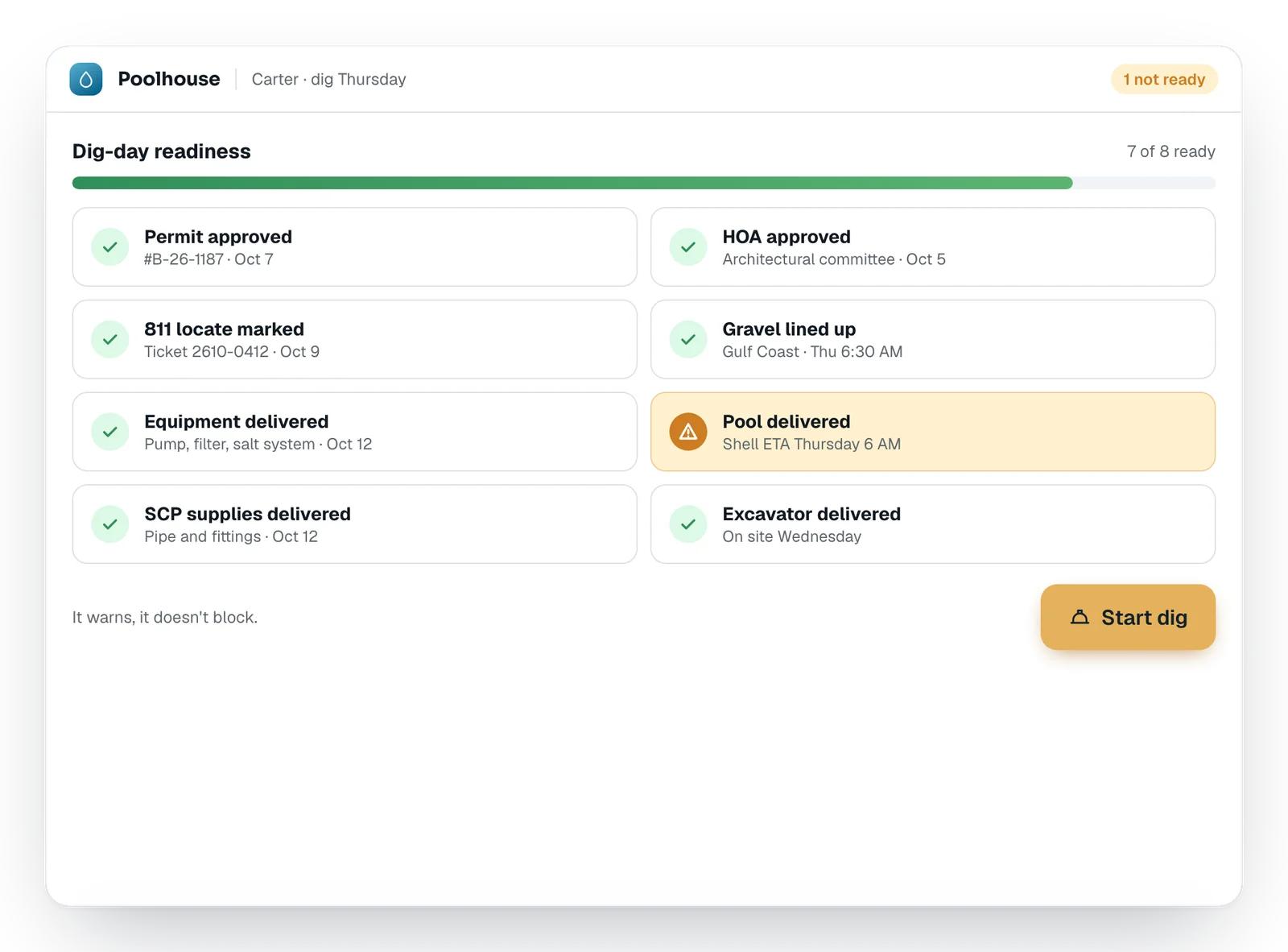
Nobody digs until it's ready.
Eight checks before the excavator rolls — permit, HOA, 811, gravel, equipment, the pool, supplies and the excavator. It warns, it doesn't block, and “dig anyway” goes on the record with a reason. Permit expiry dates warn you before they bite.
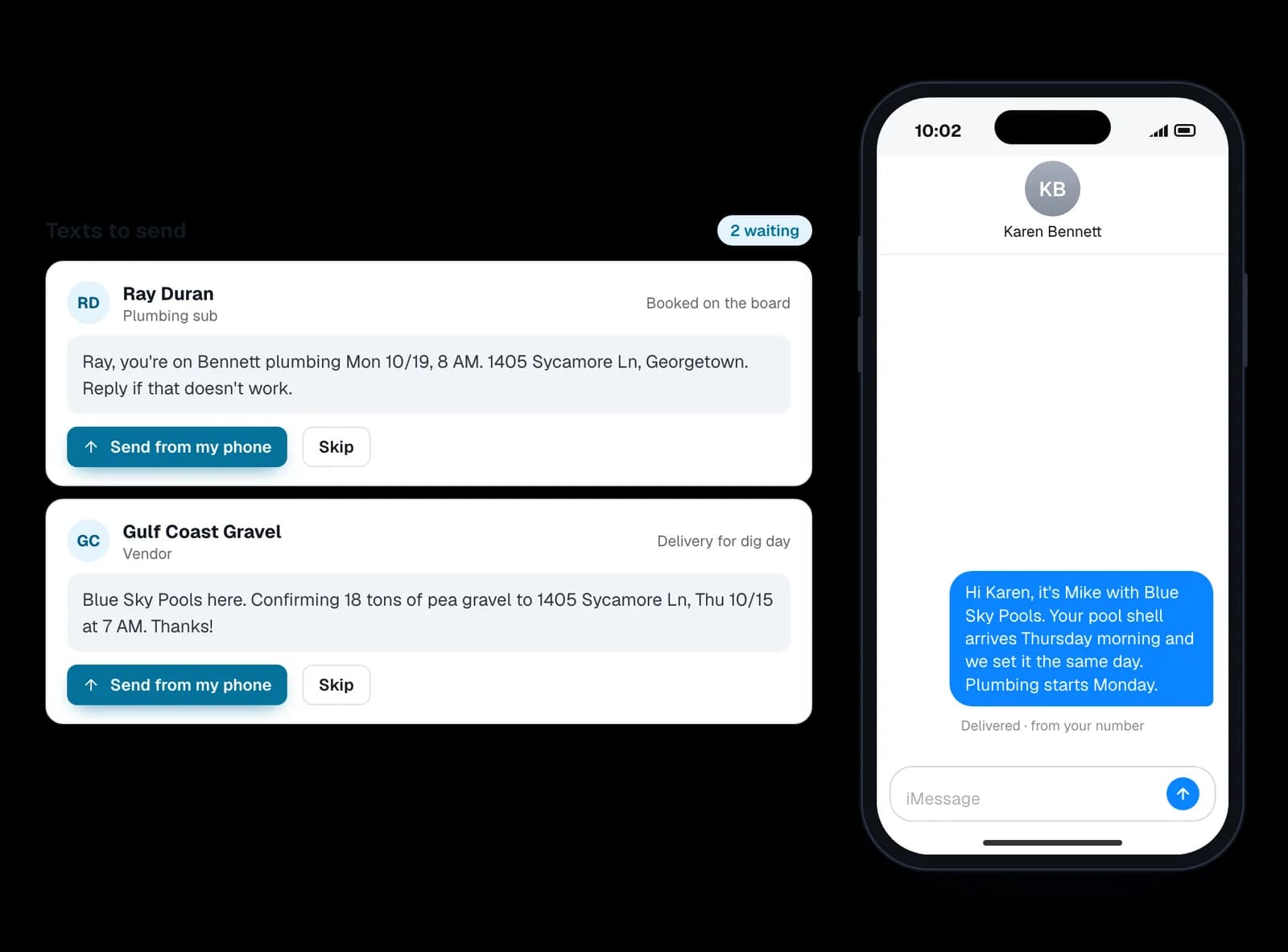
The texts write themselves. You hit send.
Move a step forward and the customer's MyPool page updates itself — the “what's happening with my pool?” calls stop, because the answer beat them to the phone.
- Customers, subs and vendors each told their part
- Sent from your own phone, so they see your name and number
- Nothing texts your customers on its own
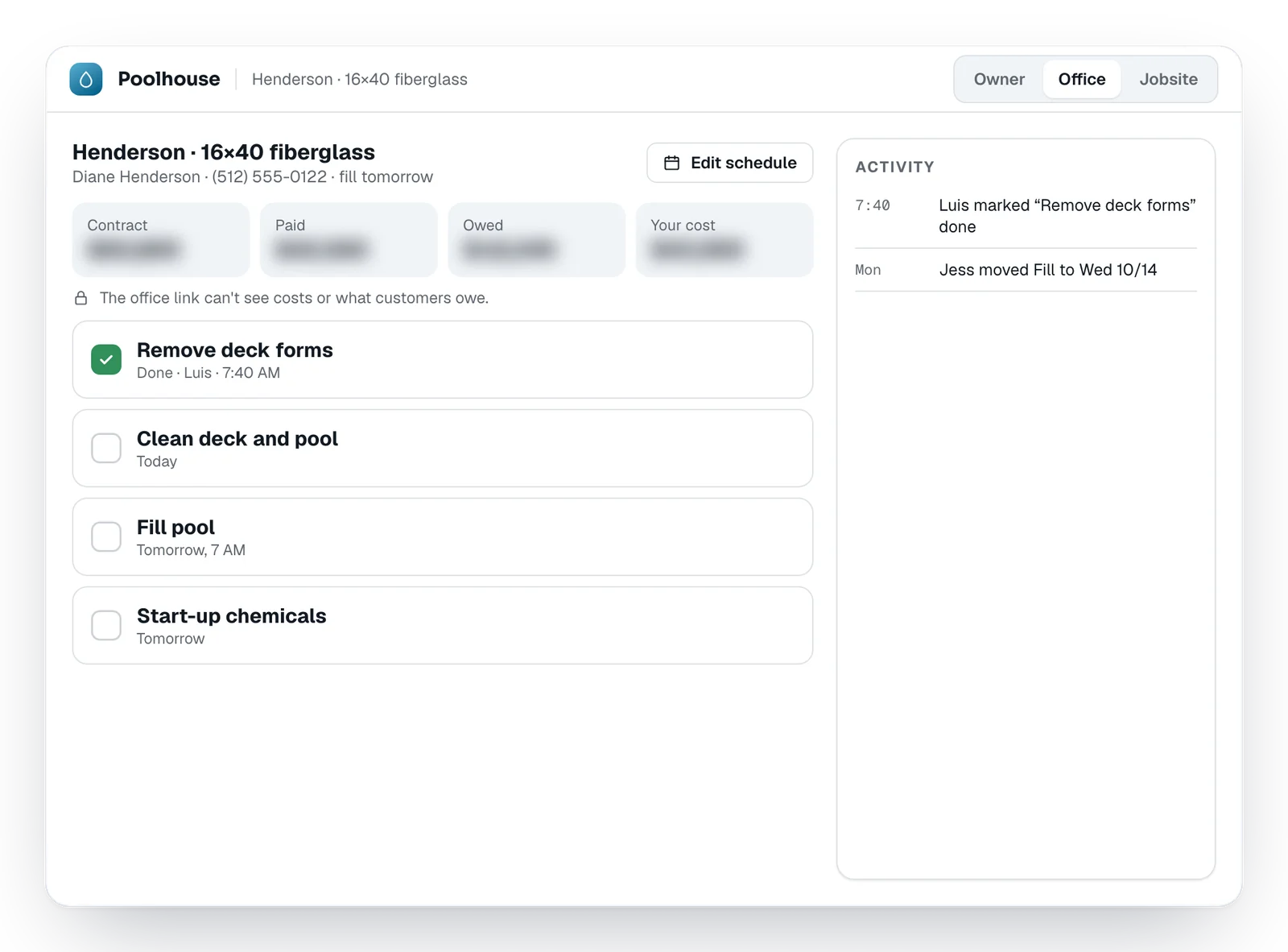
Your crew sees the job. Not your money.
Send each person a link. The jobsite link can only tick steps done. The office runs the schedule but never sees costs or what customers owe — and the database itself enforces it. Every change shows who made it. Photos, permits and change orders are filed on the job, and any of it can be shared with the homeowner in one tap.
See it for yourself, in five minutes.
Click through the whole job: the quote that catches the misses, the rain day, QuickBooks, HAL, and the app your customer keeps. Best on a computer.
Get paid
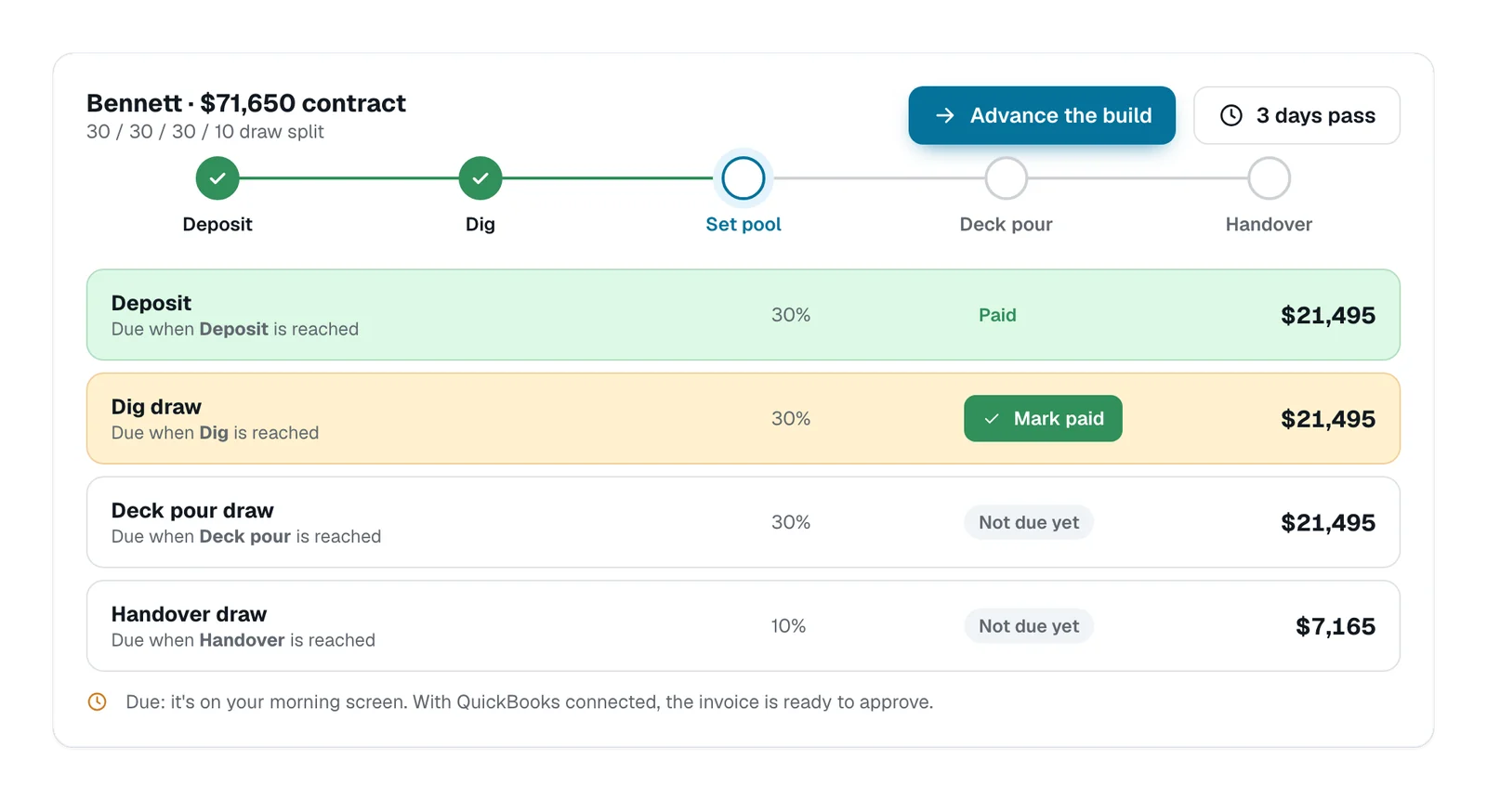
Draws come due when the work does.
Tie each draw to a step on the board. Reach the step and the draw is due.
- Your own draw split, checked to the cent against the contract
- Change orders land on the right draws
- Late draws turn red on your morning screen — never a nag to the customer
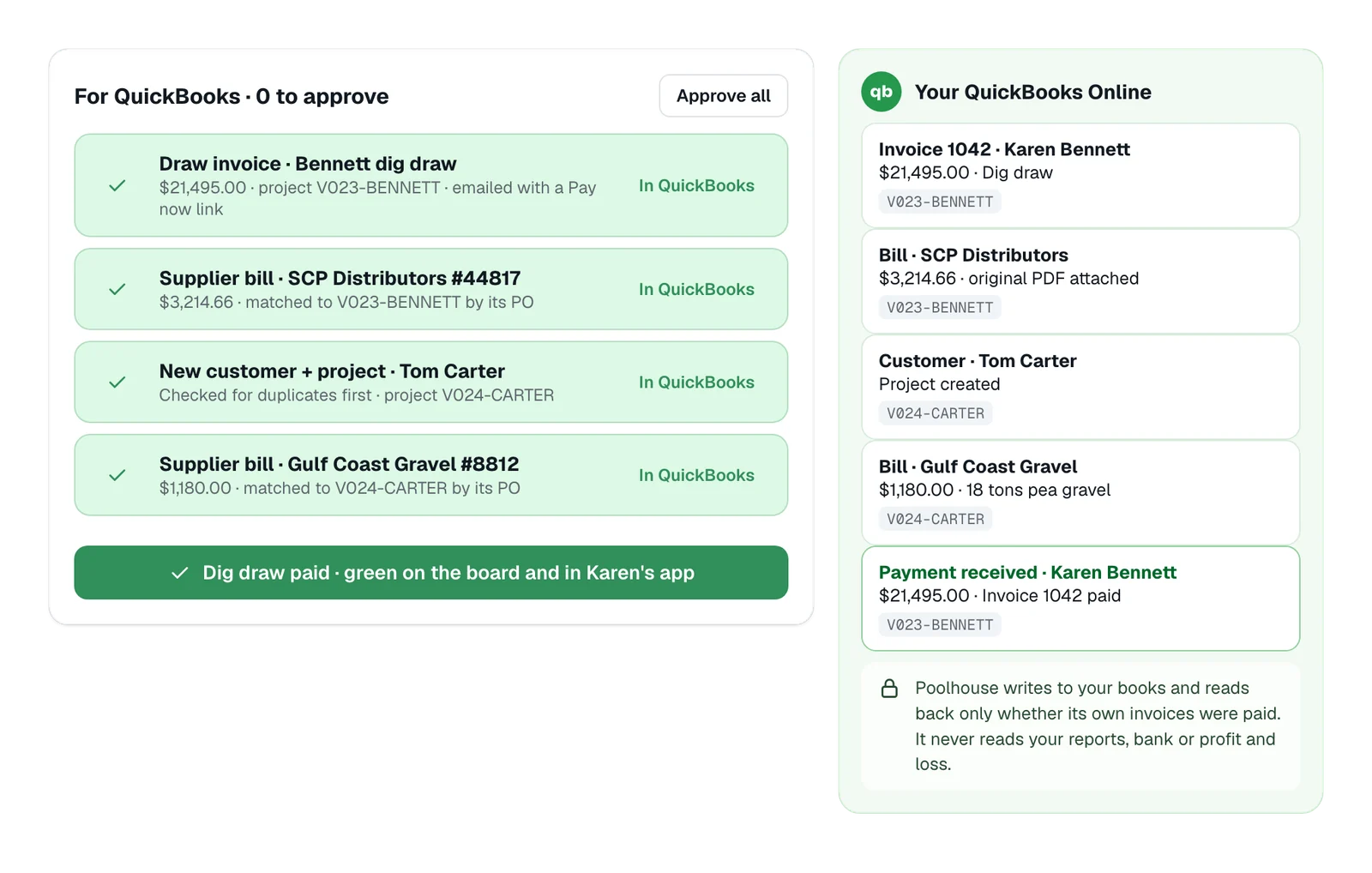
Your QuickBooks Online fills itself. You approve.
Nothing goes into your books until you tap approve. Poolhouse writes to QuickBooks and reads back only whether its own invoices were paid — it never reads your reports, bank or profit and loss.
- Customers and projects created, checked for duplicates first
- Draw invoices and supplier bills, tagged to the job, original PDFs attached
- Paid in QuickBooks? The draw turns green in Poolhouse and in the homeowner's app
Know your numbers
Sell the add-ons on every pool.
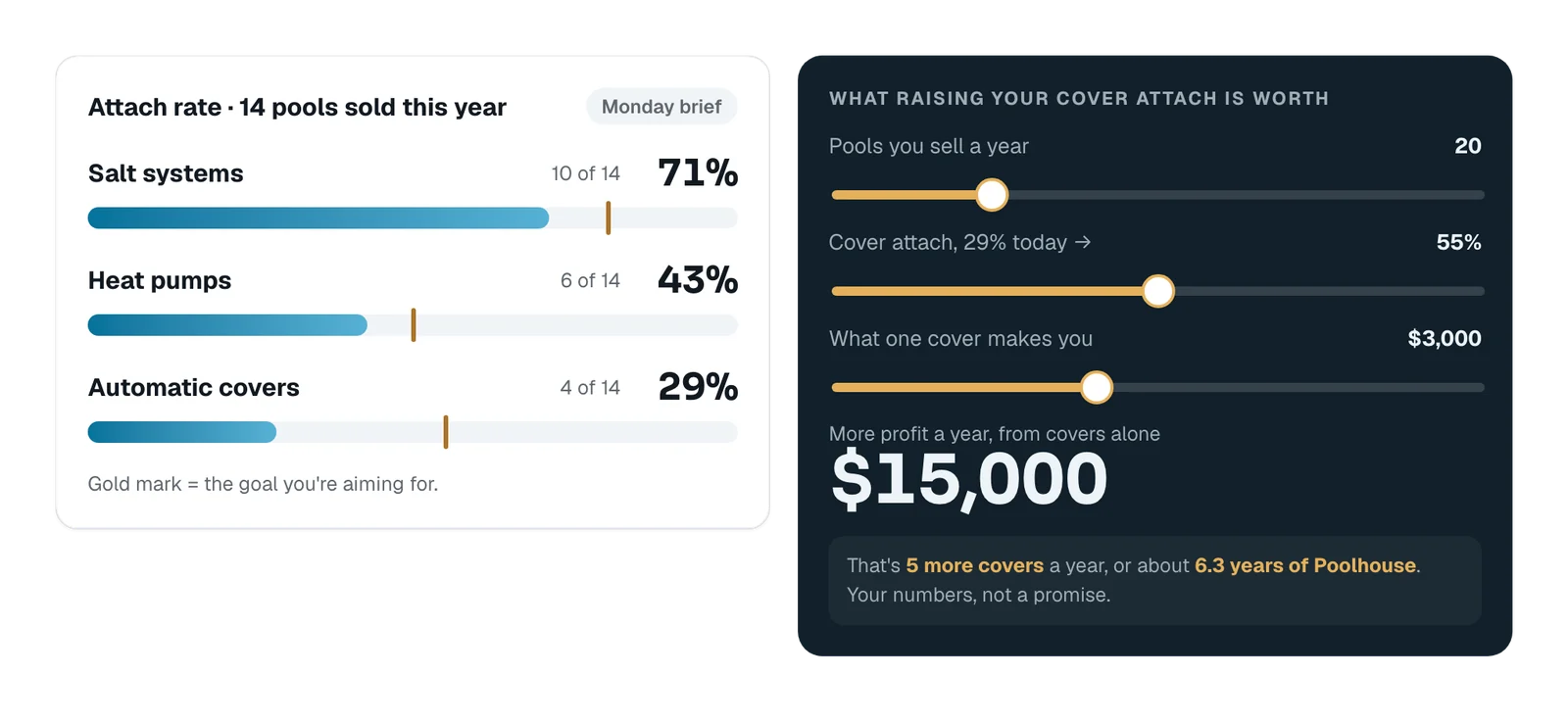
Salt systems, heaters and covers are where the margin is. Every add-on is on every quote, and your attach rate shows up in the Monday build brief. Commission is figured on every quote, add-ons included — My Pay shows each salesperson what's earned, paid and owed now: half at the deposit, half at the deck pour.
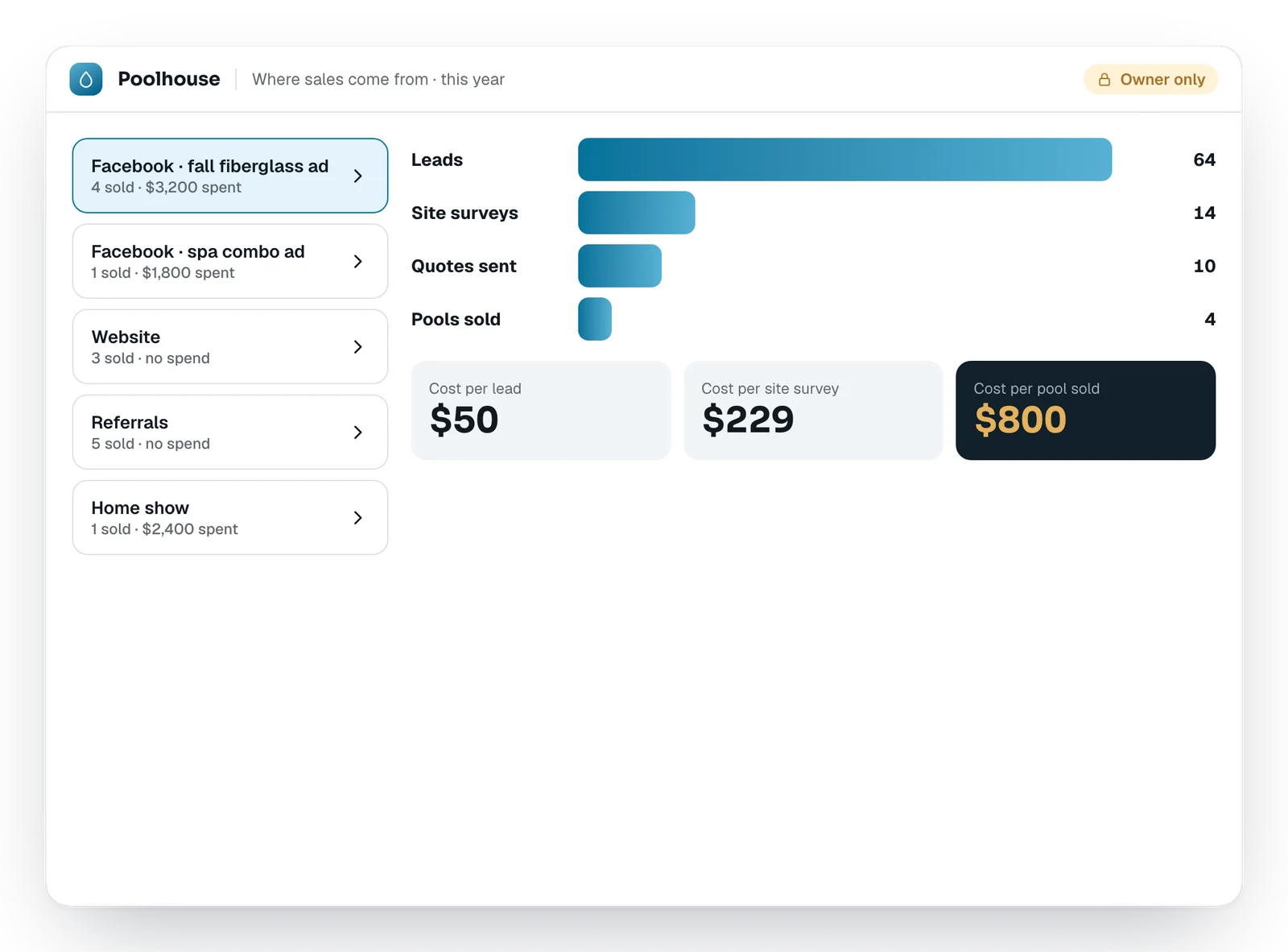
Know which ad actually sells pools.
Leads, site surveys, quotes and pools sold, by source. Type your ad spend and it shows cost per lead, per survey and per pool sold. The cheapest lead isn't always the cheapest pool.
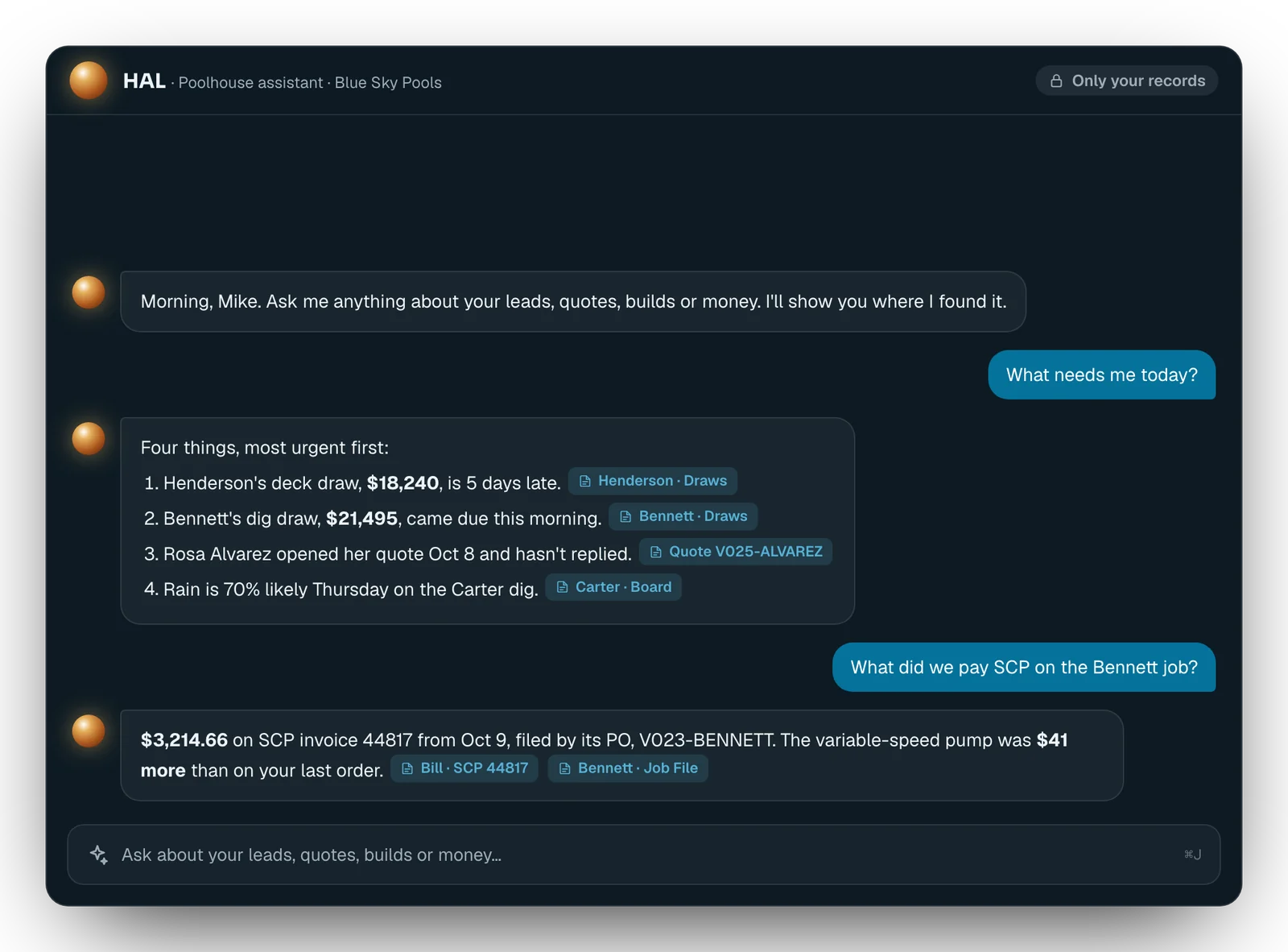
Ask HAL. Get the answer, with the receipts.
Ask about your own business in plain English. HAL answers from your records, shows where it found each fact, and says “I don't know” instead of guessing. It only ever sees your company's records.
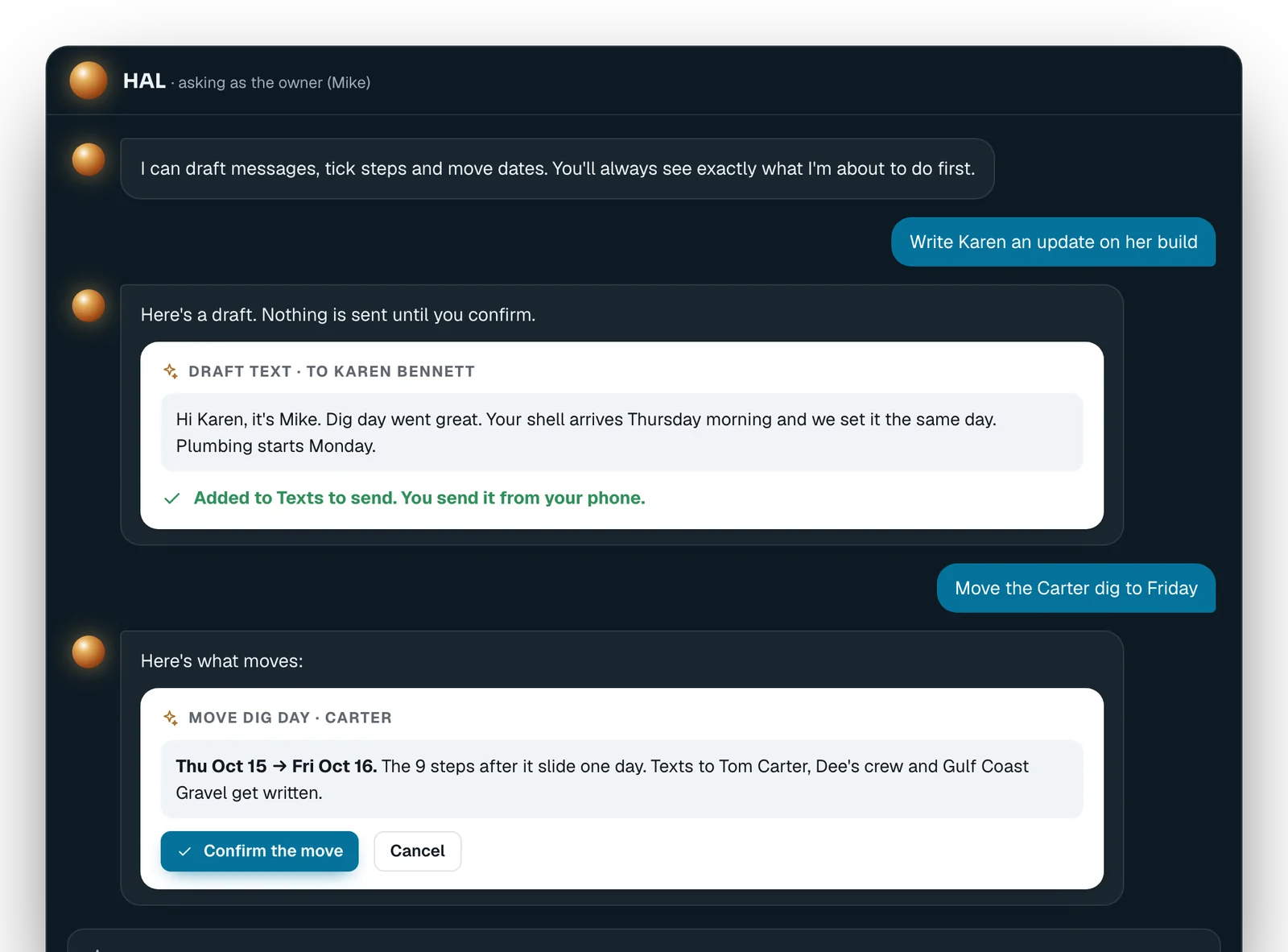
You approve it.
Ask HAL to write a customer update, tick a step or move a dig day. It shows you exactly what it's about to do, and nothing happens until you tap Confirm. Ask from a jobsite link and it won't show money.
Day one, it already works like your business.
Before you ever log in, we load your price file, your build steps and your parts logic, then check the math against pools you've already sold. There's no setup fee: your burden is zero, because the work is ours.
And your prices stay yours. Every dealer is walled off by the database itself — no template, sample or demo ever carries another company's numbers.
Poolhouse opens to dealers when it's ready — not before.
Dealers are set up in order of the list. Getting on it costs nothing and commits you to nothing.